Files and AI context
Add files as AI context so the AI keeps your background in mind, and the five-file limit that applies.
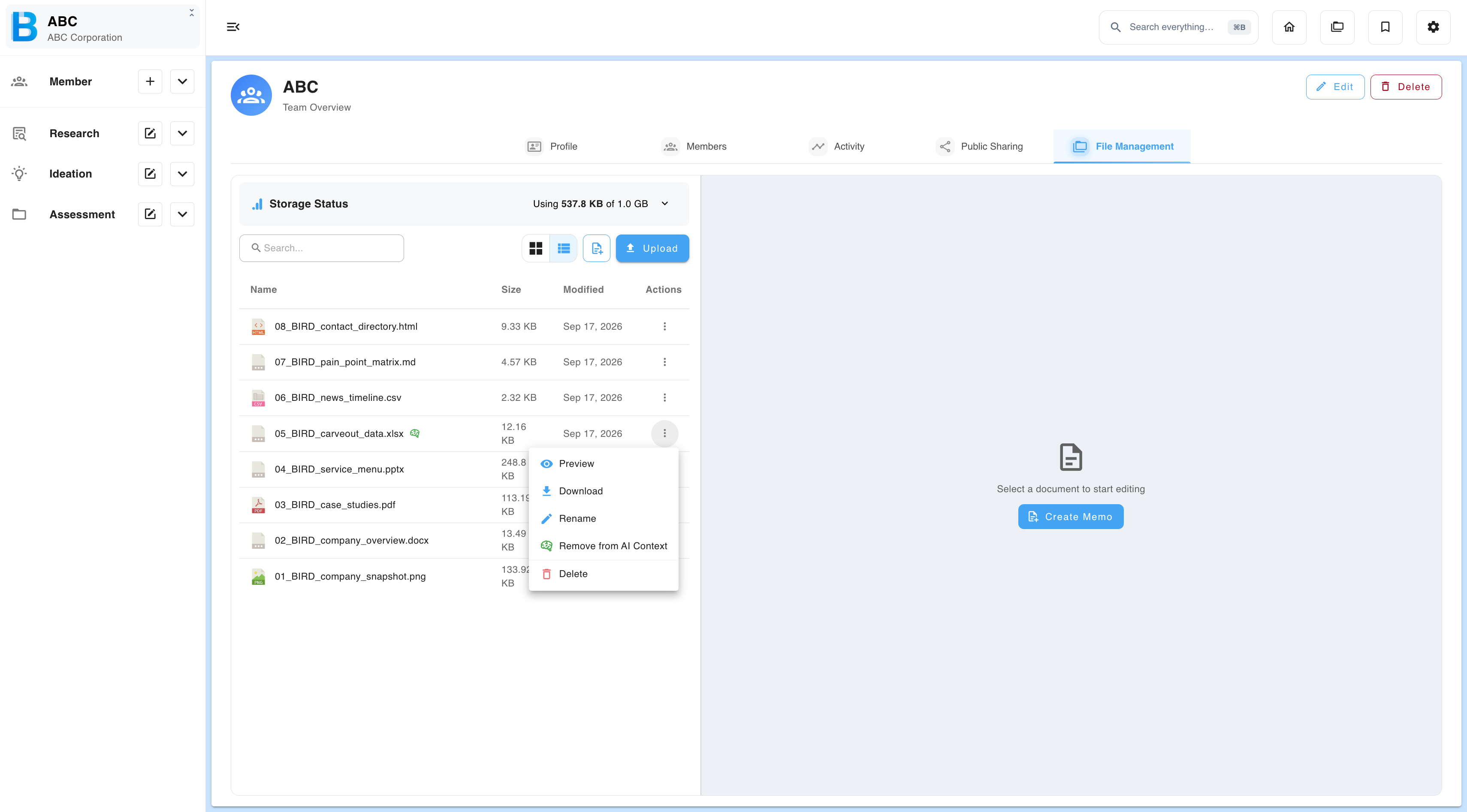
Adding a file as AI context means the AI reads it and keeps it in mind for everything that follows, instead of you re-explaining the same background in every message.
Adding a file
There are two routes to the same result:
- In Research chat and Deep research, use the AI context button below the message box. You can add a research response directly, or pick a file already in file management.
- Upload the file to file management first, then add it as AI context from there.
Limits and where it applies
| Detail | Value |
|---|---|
| Maximum files | 5 at a time |
| Adding a sixth | Not possible. Replace one of the five instead. |
| Where the context applies | Research chat, Deep research, and the AI chat in Ideation and Assessment |
The limit is five files at once, not five in total. If you need a sixth, replace whichever of the five is least relevant to what you are working on now.