Switching and adding groups
Move between your groups from the group menu, add a new group, and leave a group you no longer need.
Everything you see in BIIM belongs to one group. Switching groups changes which research, ideations, assessments and files you are looking at — and your role may differ from one group to the next.
Select the company or team name in the top-left corner to open the group menu.
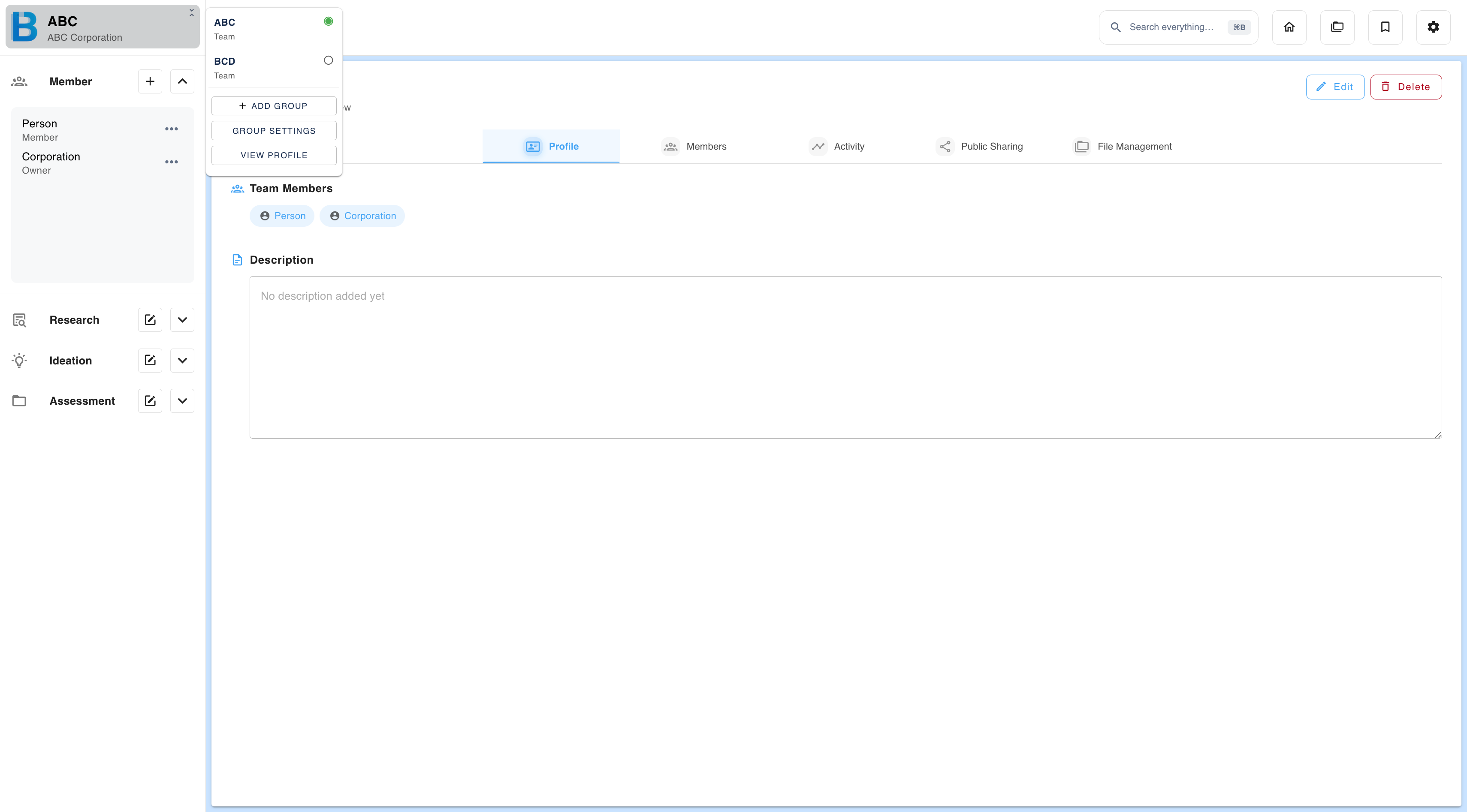
| Marker | Meaning |
|---|---|
| Filled circle | The group you are currently in |
| Empty circle | Another group you can switch to. Select it to move there. |
The menu also contains:
| Item | What it does |
|---|---|
| + Add group | Creates another company or team |
| View groups | Shows group descriptions; edit or delete (owner only) |
| View profile | Changes your own details and password |
You can belong to up to 15 groups per account, counting both groups you create and groups you join. See Create a Group.
Leaving a group
You can leave a group yourself, without asking the owner — unless you are the owner, in which case see Roles and Permissions.
| Question | Answer |
|---|---|
| What happens to my work? | Nothing is deleted. Everything you created stays in the group for the remaining members. Only your name disappears from it. |
| Is it the same if the owner removes me? | Yes. Removal and leaving have the same effect on the data. |
| Does leaving free up a group slot? | No. Leaving does not change your count against the 15-group limit. |
| Can I come back? | Only if the owner invites you again. |
Next: Workspace Overview covers the interface you will be working in.