Global search
Global search finds anything you have access to from any page in the workspace. The same panel also creates items, opens any page and manages your group, so most things can be reached without leaving the page you are on.
Opening search
The search field sits in the top bar on every page, with the keyboard shortcut shown inside it. Select the field, or use the shortcut.
| System | Shortcut |
|---|---|
| macOS | Cmd + B |
| Windows | Ctrl + B |
Choosing how wide to search
A toggle in the search field sets the scope of the search.
| Scope | What it covers |
|---|---|
| This group | Only the group you are working in right now. Use it when you already know where the item lives. |
| All groups | Every group you are a member of, so you can find an item without switching groups first — see Switch Groups. |
Reading the results
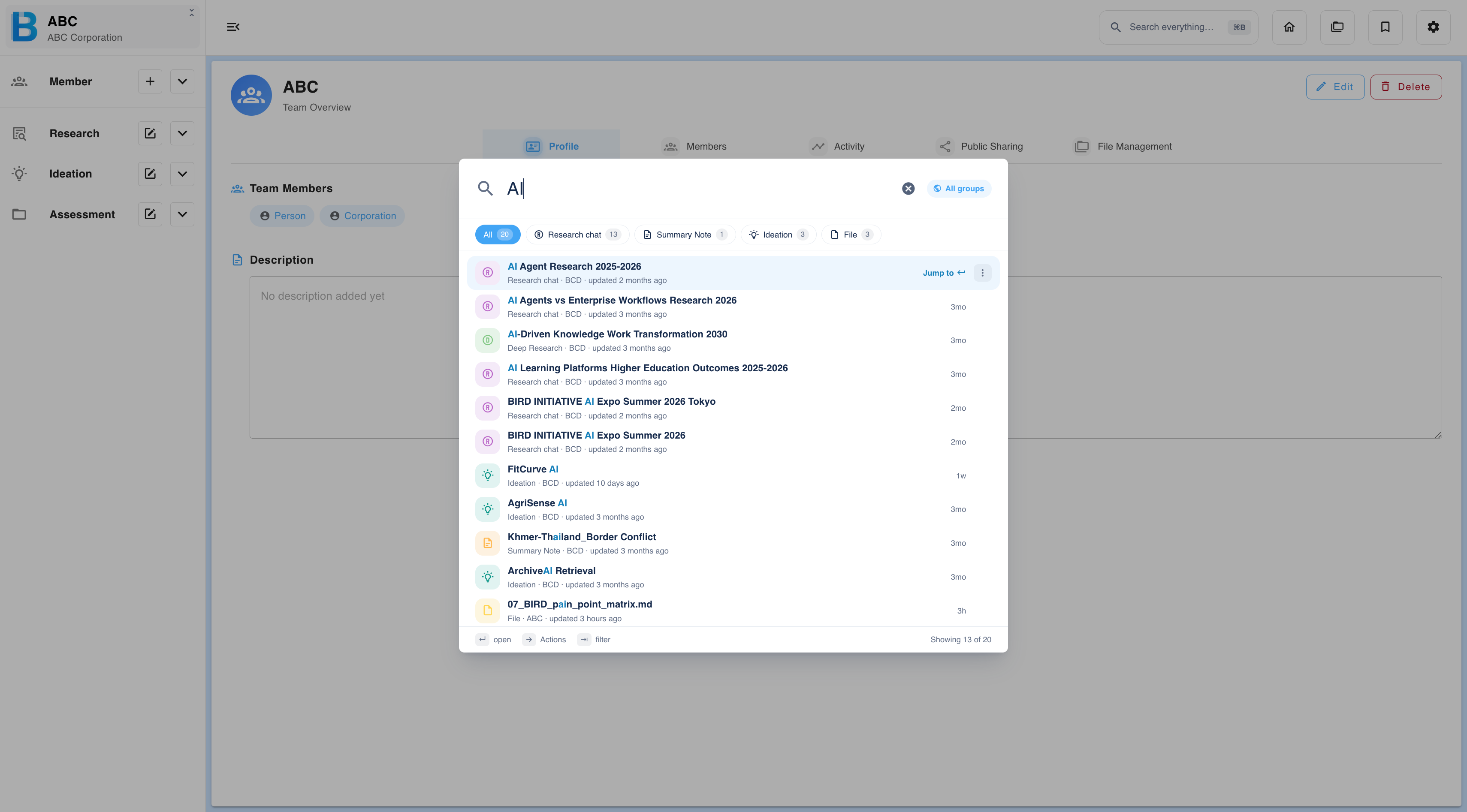
Type a keyword and BIIM searches every item you have access to, then groups the matches so you can narrow down quickly.
| Element | What it does |
|---|---|
| Category tabs | Separate the matches by type — Research chat, Trend Research, Chaos Map, Summary Note, Issue Persona and more. Each tab carries its own count, and All holds every match. |
| Result row | The name of the item, its type, the group it belongs to, and when it was last updated. Select the row to open it. |
| Jump to | Open the item at its exact location in the workspace rather than on its own, so you keep the surrounding context. |
| ··· | Further actions for that result. |
| Result count | The number of matches in the tab you are viewing, at the foot of the panel. |
The panel can be driven entirely from the keyboard.
| Key | What it does |
|---|---|
| Enter | Open the highlighted result. |
| Right arrow | Opens the actions for the highlighted result. |
| Tab | Moves through the category tabs. |
Creating from a search
If nothing matches your keyword, the panel offers to create an item named after it instead — for example, Create chaos map named "AI". The type offered follows the category tab you are on, so switch tabs first if you want to create something else.
Search as a command bar
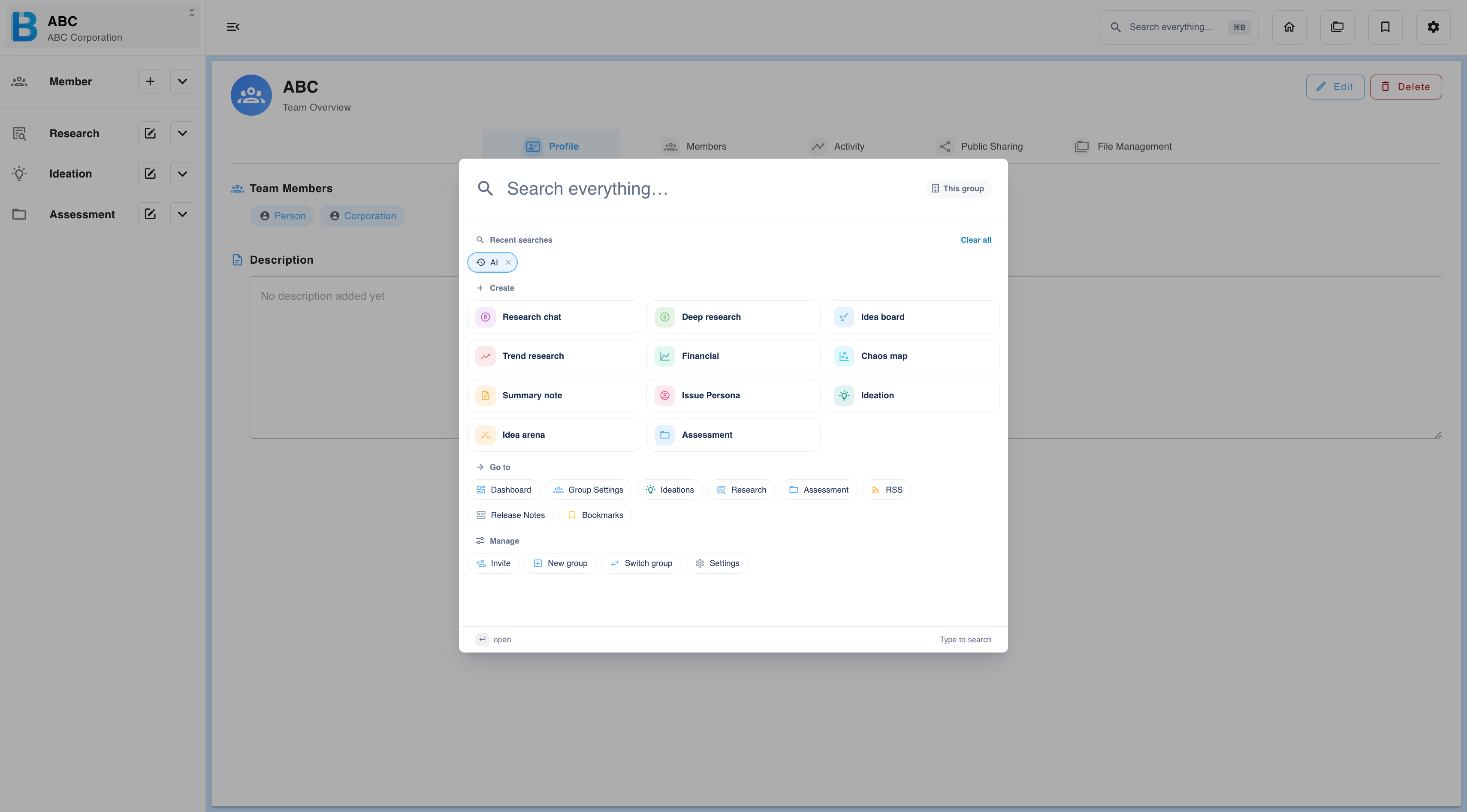
With the field empty, the panel is a command bar. It lists your recent searches, and three groups of actions.
| Group | What it holds |
|---|---|
| Recent searches | Your last few keywords. Select one to run it again. |
| Create | Research chat, Deep research, Idea board, Trend research, Financial, Chaos map, Summary note, Issue Persona, Ideation, Idea arena and Assessment. |
| Go to | Dashboard, Group Settings, Ideations, Research, Assessment, Collaboration Map, RSS, Release Notes and Bookmarks. |
| Manage | Invite a member, create a new group, switch group, or open group settings. |