Moving items between groups
Send a research, ideation or assessment item to another group, and how approvals and pending moves work.
An item can be sent from one of your groups to another. Research, Ideation and Assessment items all move the same way.
Before you move an item
Three conditions decide whether the move option is available to you.
| Condition | Detail |
|---|---|
| You must be the group owner | Members without owner permission do not see the move option on an item. |
| It works in three sections | Research, Ideation and Assessment items can all be moved. |
| You need a second group | The destination has to be another group you own or belong to. |
What happens next
This depends on whether you also own the destination group.
| Destination | What happens |
|---|---|
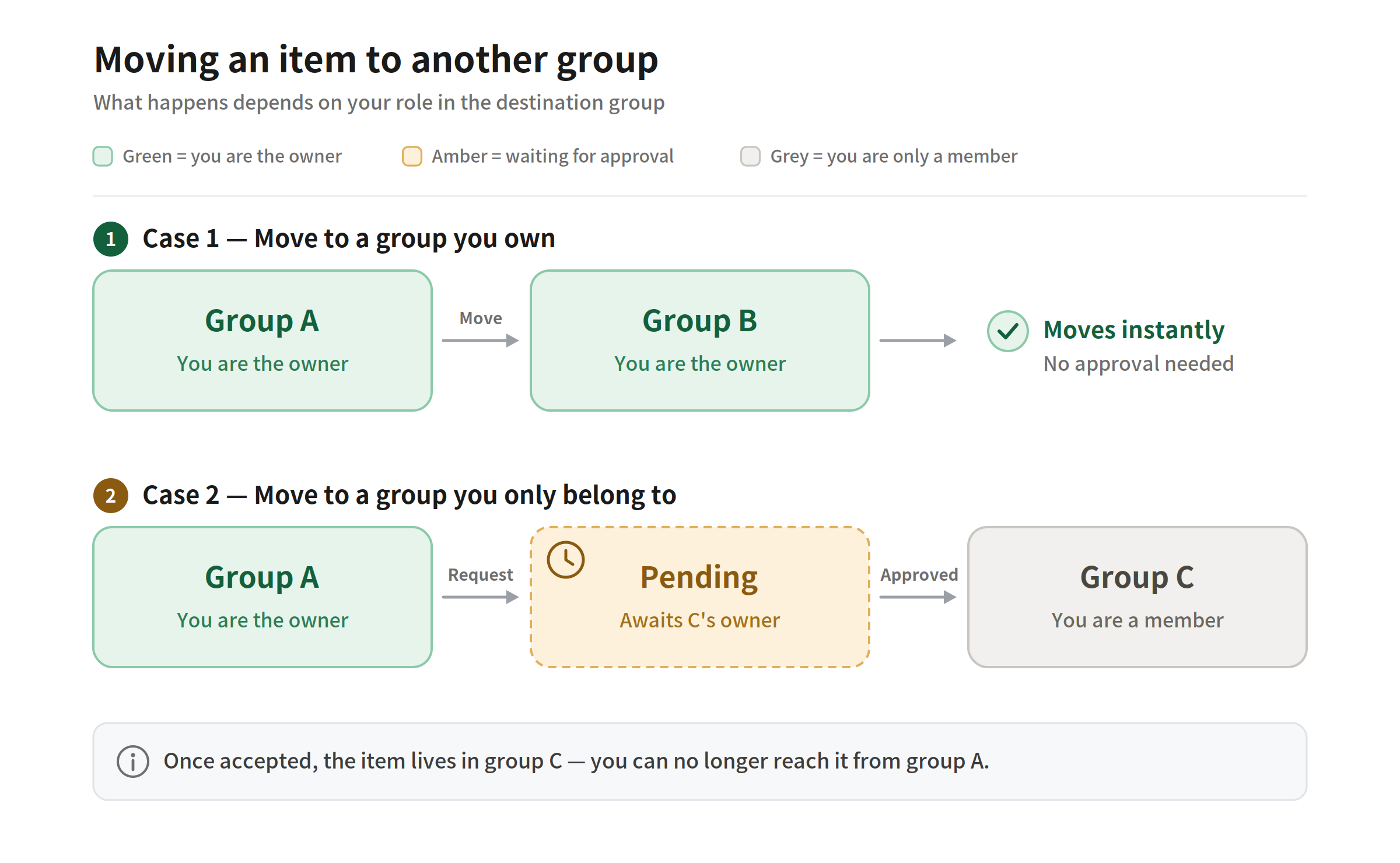
| A group you own | The item moves straight away. |
| A group you do not own | The move waits for that group's owner to accept it. |
Approvals and pending moves
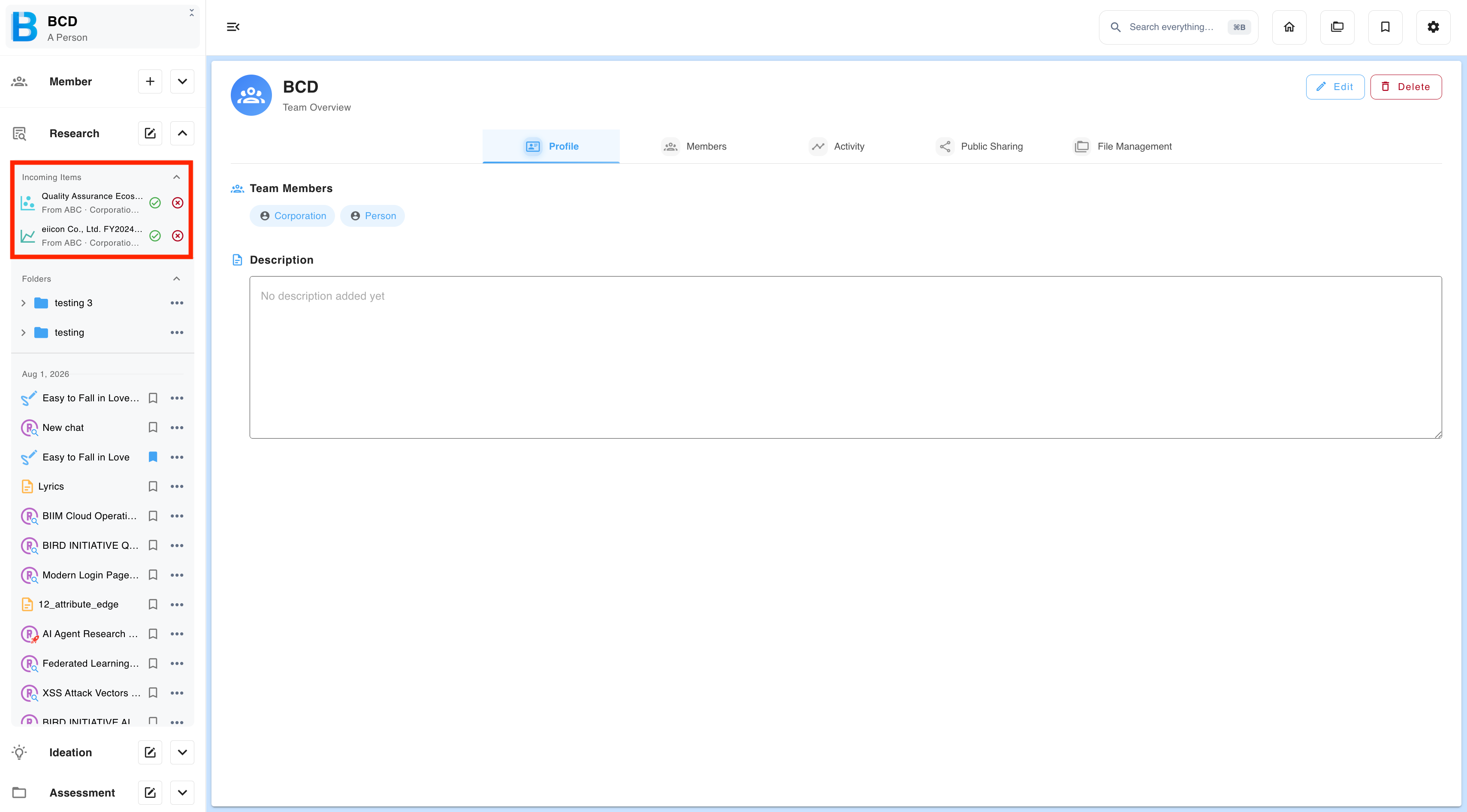
The receiving owner. Incoming items appear in the sidebar. Accept to bring the item in, or decline to send it back.
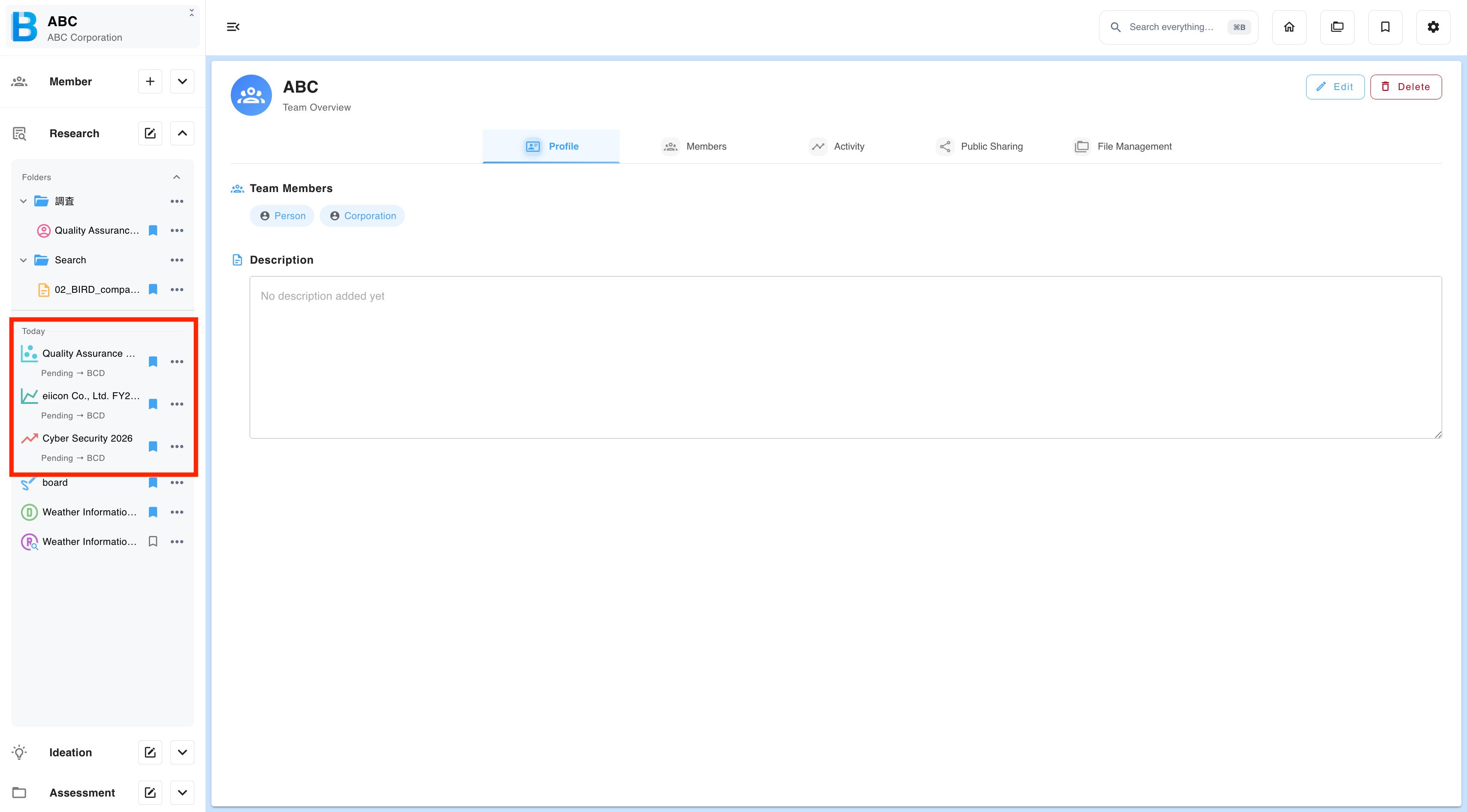
The person moving it. Your item stays where it is, marked Pending. You can cancel the request at any time before it is accepted.