Issue persona
Enter a keyword and BIIM generates the stakeholders around it, each as a persona with a defined background and set of concerns. You can read their views, interview them one-to-one, or put several of them in a room together.
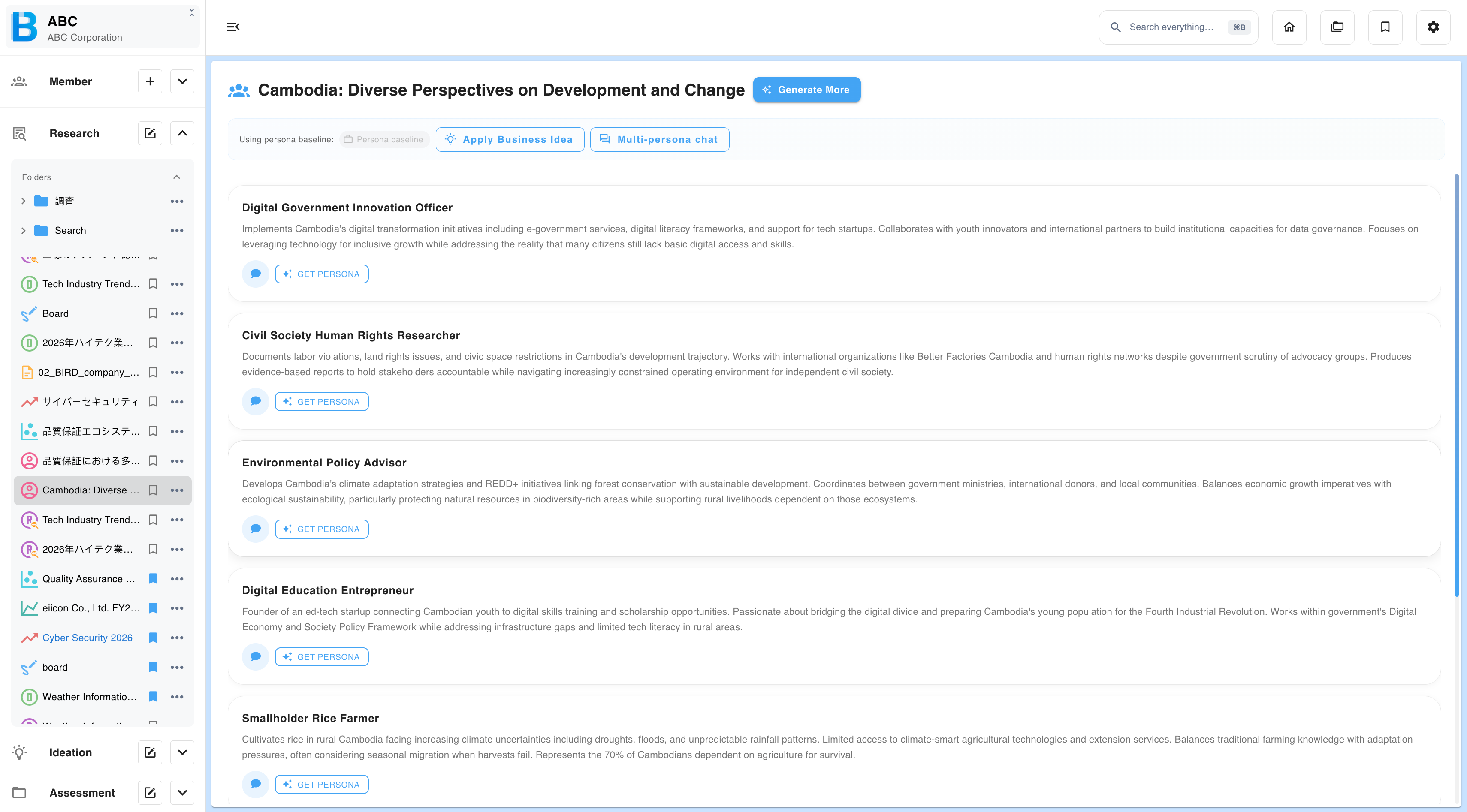
Step 1 — Generate the personas
Select Research → Issue persona, enter a keyword or theme, then select Generate.
The narrower your input, the more finely subdivided the stakeholder list. Select Generate more to extend it. Longer lists are paginated.
Step 2 — Get a persona's view
Select Get persona on a card for that persona's structured take: their concerns, reasoned and numbered.
Step 3 — Apply a business idea
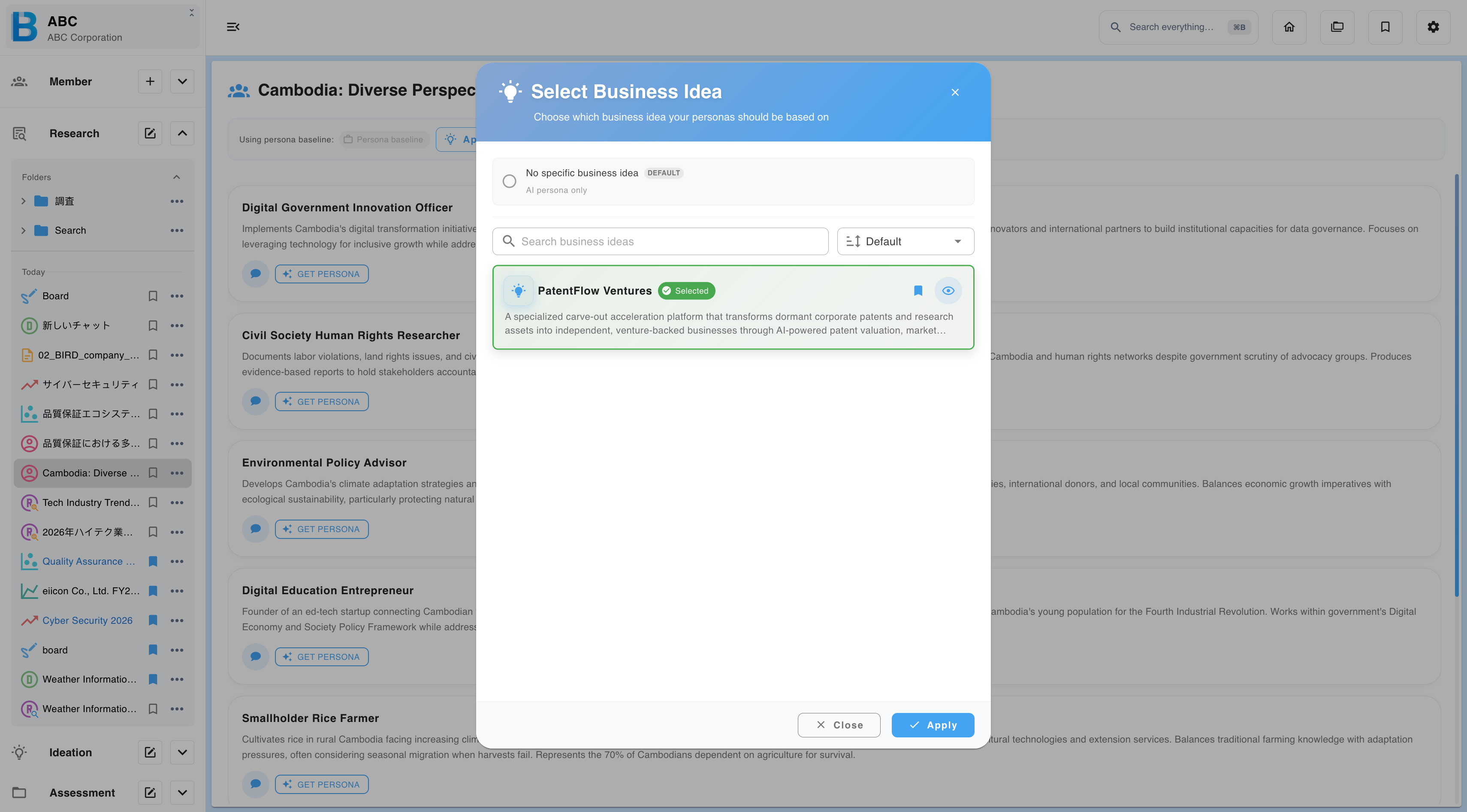
By default, personas comment on the theme in general. Applying business ideas lets you select one of your existing ideations, after which every person responds as though they already know about it.
One-to-one chat
Select the chat icon on a personal card.
Multi-persona chat
Select Multi-persona chat, choose two or more personas, and start. Each one answers separately, in their own voice. Two further moves are available.
| Move | What it does |
|---|---|
| Synthesise | Ask the group to reach a single unified position instead of giving you parallel opinions. This is where the disagreements become visible. |
| Address one persona | Puts a question to one of them, answered with full awareness of what has been said so far. |
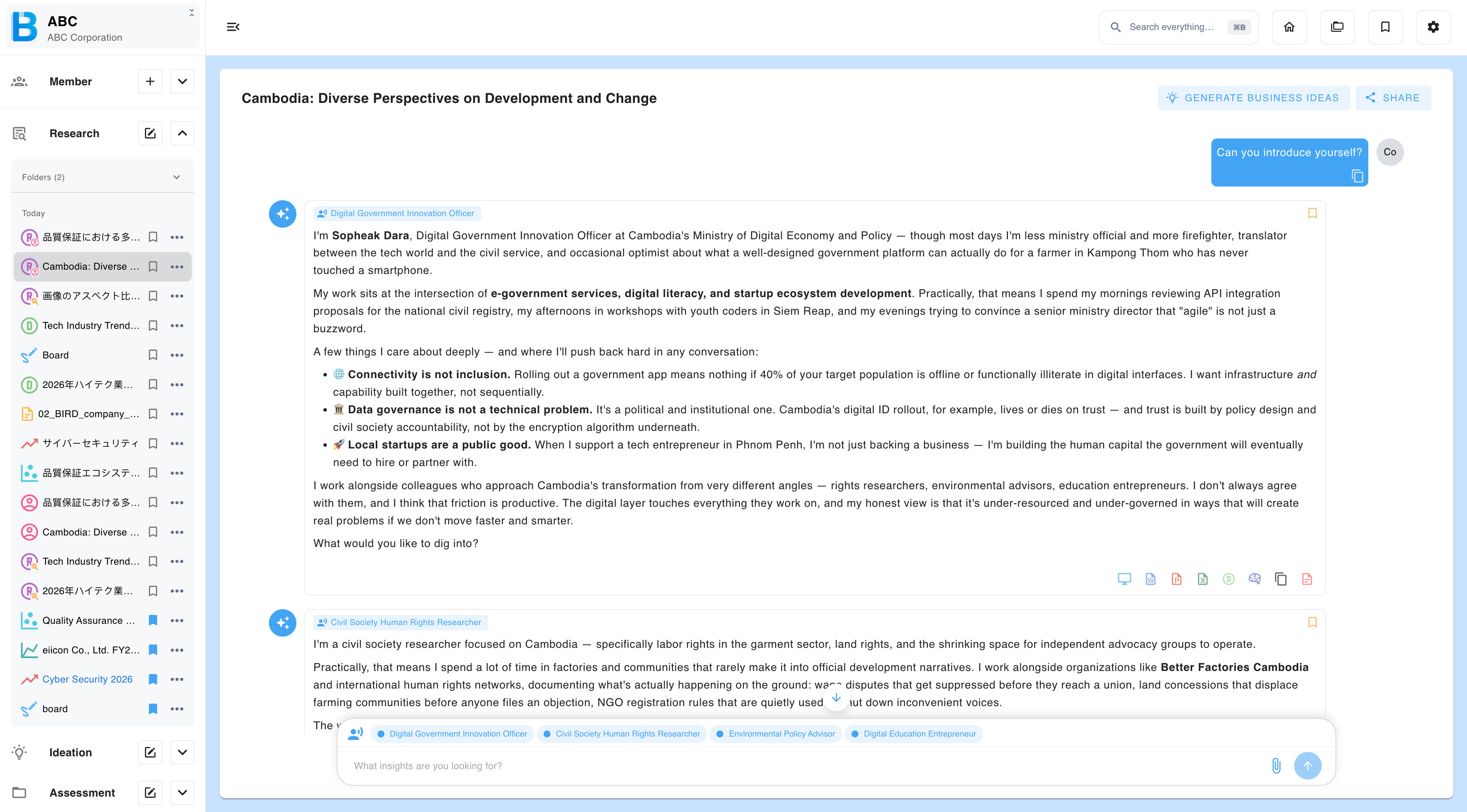
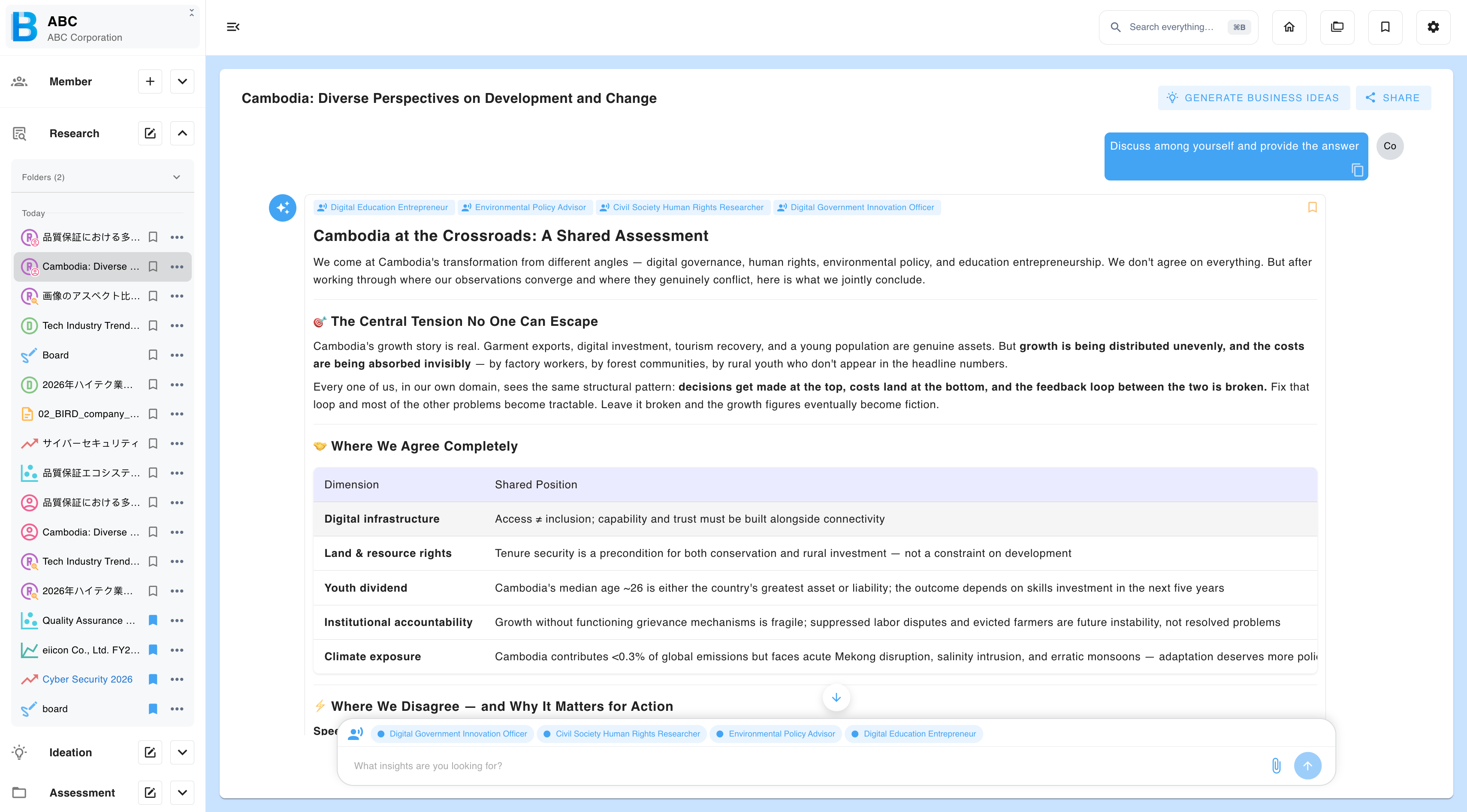
Use this to find which stakeholder your idea actually fits, to surface risks from opposing viewpoints, and to work through bottlenecks.
Turning conversations into ideas
Select Add to business idea to convert a conversation, or specific messages within it, into a new idea. Interview until a real problem surfaces, then build the idea from the problem rather than from a keyword.